Click Login from the navigation at the top of your screen,
then enter the email address and password associated
with your 409A Direct account.
IMPORTANT: 409A Direct is built using mapbenefits technology.
The mapbenefits platform supports and recommends using a two-factor authentication app like Google Authenticator or Salesforce Authenticator for enhanced security. Please note that your Plan Sponsor may require two-factor authentication for all users.
Powered by
New User
Click the login icon at the top of your screen.
Click New User.
Enter your email address as the username and click Submit.
An email with a link will be sent to the email address we have on file.
Click the link provided in the email and follow the instructions to either set up your password or two-factor authentication (if applicable). Be sure to check your Junk or Spam folders if you do not see an email from mapbenefits in your Inbox.
After you have approved your login using the authenticator app, create and confirm your password.
Password Help
Forgot your password?
Click Forgot Your Password?
Enter your email address as the username and click Submit.
An email with a link will be sent to the email address we have on file.
Click the link provided in the email and follow the instructions to set up your password or two-factor authentication (if applicable). Be sure to check your Junk or Spam folders if you do not see an email from mapbenefits in your Inbox.
After you have approved your login using the authenticator app, create and confirm your new password.
Want to change your password?
Log in, then click the down arrow in the top-right corner of your screen (next to your name).
Click Change Password and follow the prompts to set a new password.
Preparing for Enrollment
Ready to enroll?
Before you get started with enrollment, be sure to have your beneficiary information ready, including full names and addresses.
Log in by entering your username (email) and password, then click Enrollment from the left-hand menu to access the Enrollment Hub. Once you are in the Enrollment Hub, click Begin Enrollment.
How to get your PIN (first-time users)
Select Get PIN.
A 6-digit PIN will be sent to the email address we have on file for you. Note: Be sure to check your Junk or Spam folders if you do not see an email from mapbenefits in your Inbox.
Enter the PIN provided in the email in the Security PIN field.
Select Yes to begin the enrollment process.
Click Continue.
Two-Factor Authentication
If you choose to use two-factor authentication or if your Plan Sponsor requires it, you will want to download the Google Authenticator App before logging in to mapbenefits. We have provided the links for the free app below.
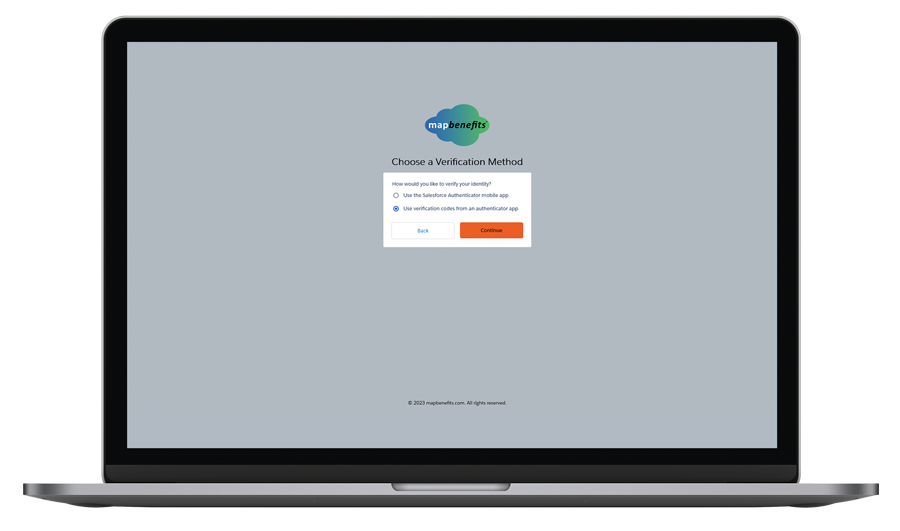
Once you log in to the portal, you will be directed to the two-factor authentication page.
Step 1.
Select the Use verification codes from an authenticator app option.
Step 2.
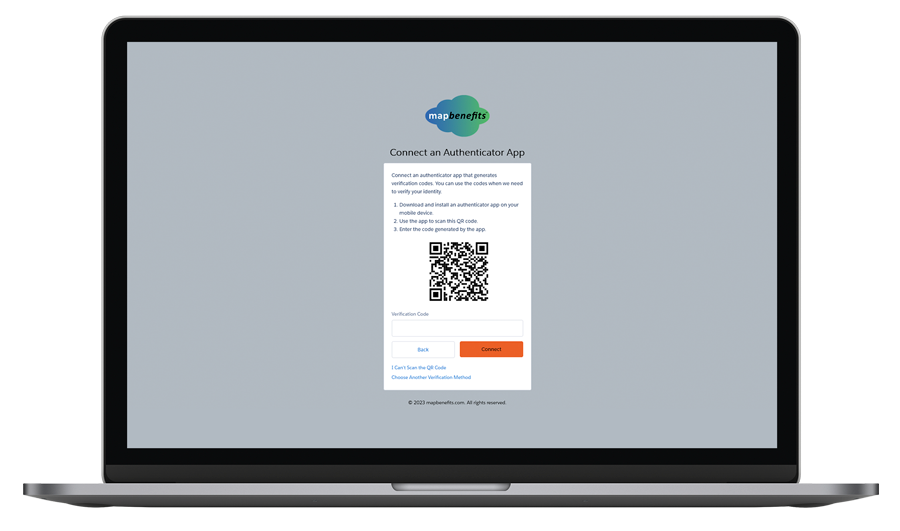
Click Continue. You should now see a QR code on your computer screen.
Step 3.
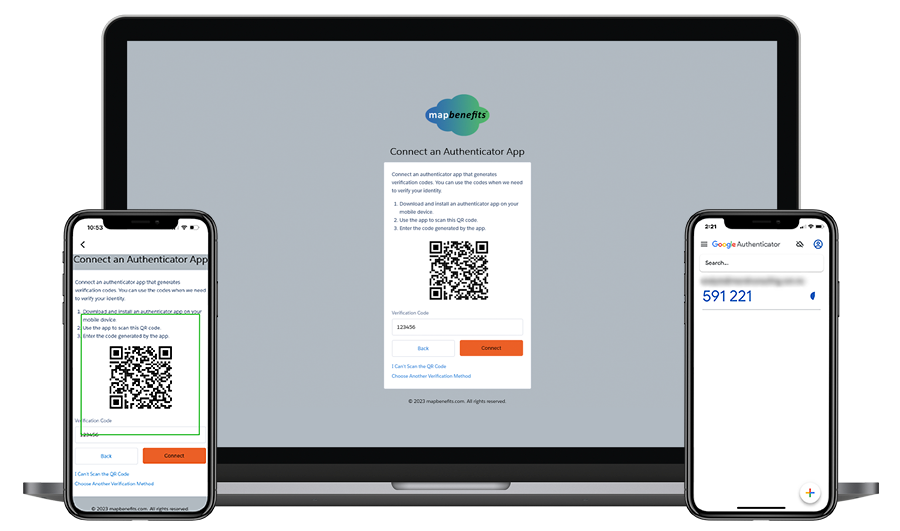
Open the Google Authenticator app on your mobile device, then click Get Started followed by Scan a QR Code.
Step 4.
Use the in-app camera to scan the QR code on your computer, and the account will be automatically linked on your Google Authenticator app where you will see a 6-digit verification code linked to your username.
This code will regenerate every 30 seconds, so you will need to enter immediately. If you wait more than 30 seconds, be sure to enter the newest code that appears on the Google Authenticator app.
Step 5.
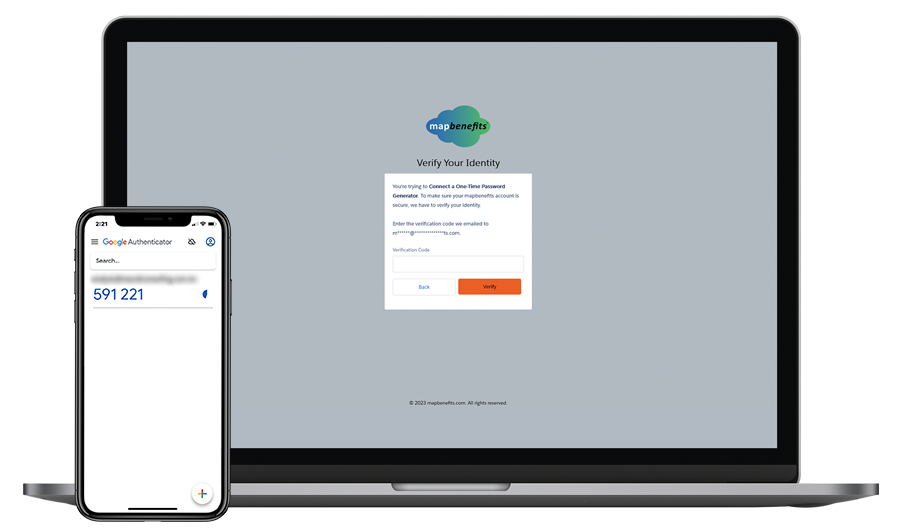
Once you enter the verification code, click Verify to finish setting up two-factor authentication.
You will then need to enter the verification code from the Google Authenticator app a second time. You do not need to use the code sent to your email address on file.
Once the verification code has been approved, you will gain access to your 409A Direct account, and your two-factor authentication has been established for future use.
Need help?
If you need help with logging in or with enrollment, contact our Client Services team at 813-776-6933 or clientservices@409ADirect.com.
Mobile App
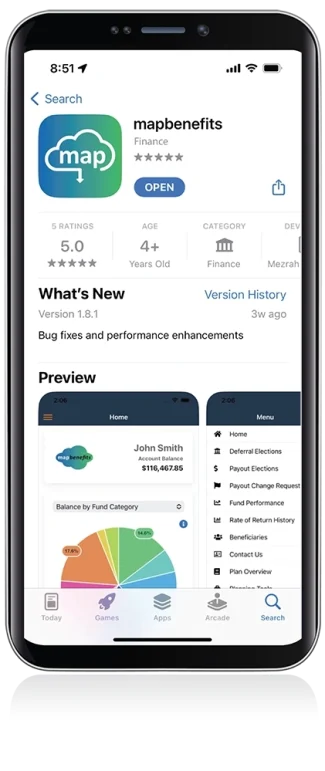
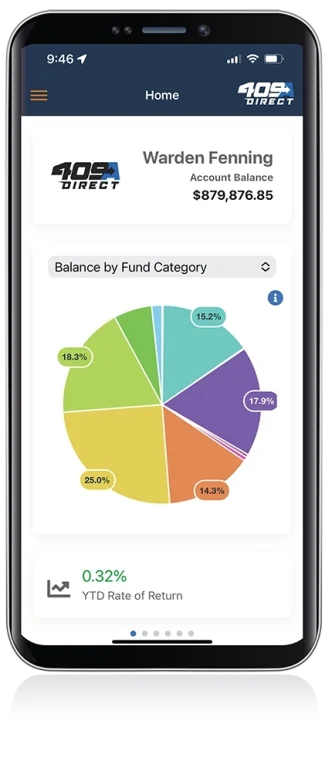
To access your 409A Direct account, download the mapbenefits mobile app on the Apple Store or Google Play today!
Schedule Appointment
Fill out the form below, and we will be in touch shortly.